![calldrip-logo-white.png]](https://learn.calldrip.com/hs-fs/hubfs/calldrip-logo-white.png?height=40&name=calldrip-logo-white.png)
Is Calldrip not responding when you click "Log In"?
This could be due to a JavaScript setting that you've disabled in your internet browser. As a reminder, we do recommend using Google Chrome as your internet browser for Calldrip.
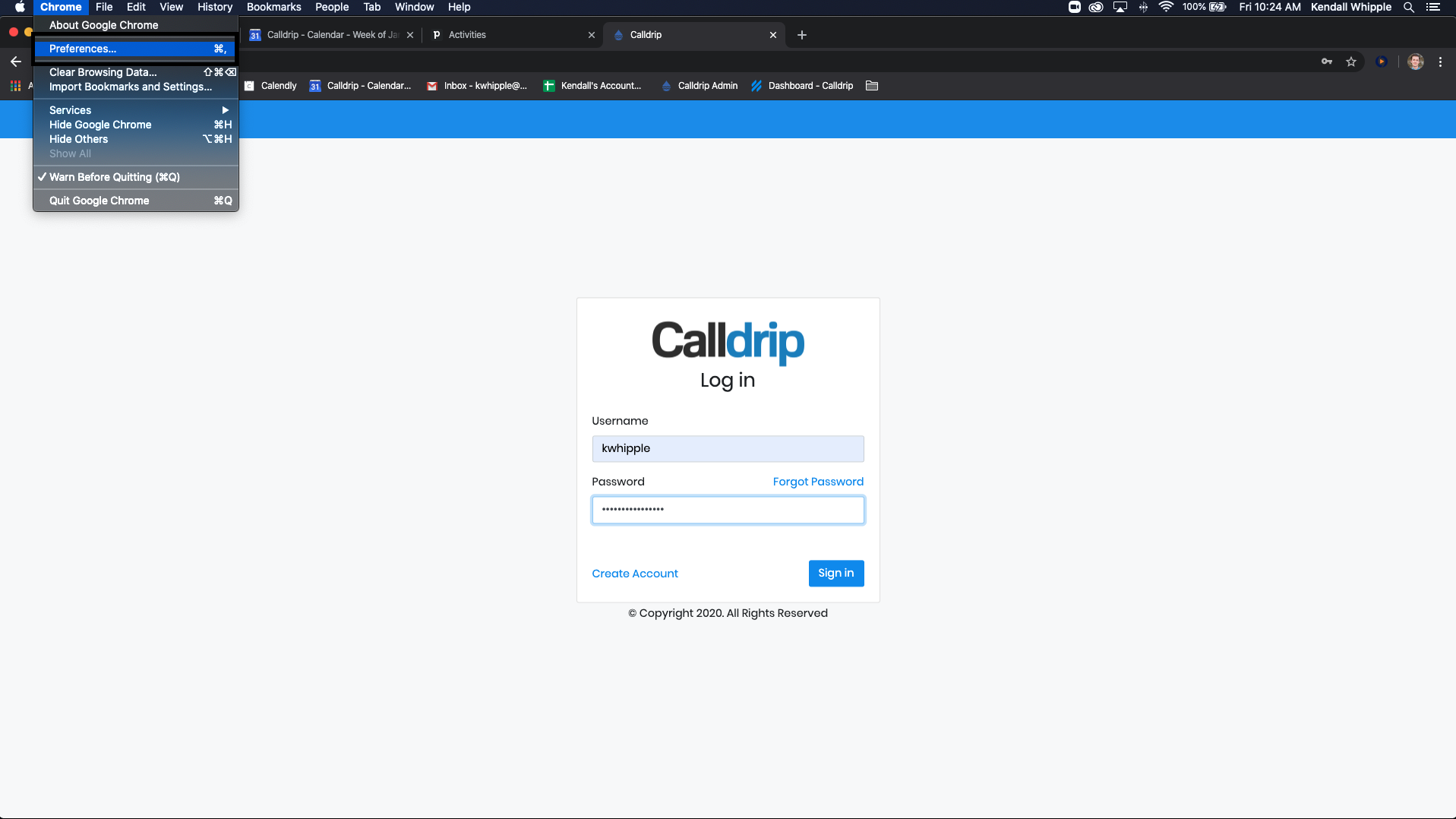
Once in Google Chrome, please navigate to Preferences/Settings. Click "Advanced Settings".
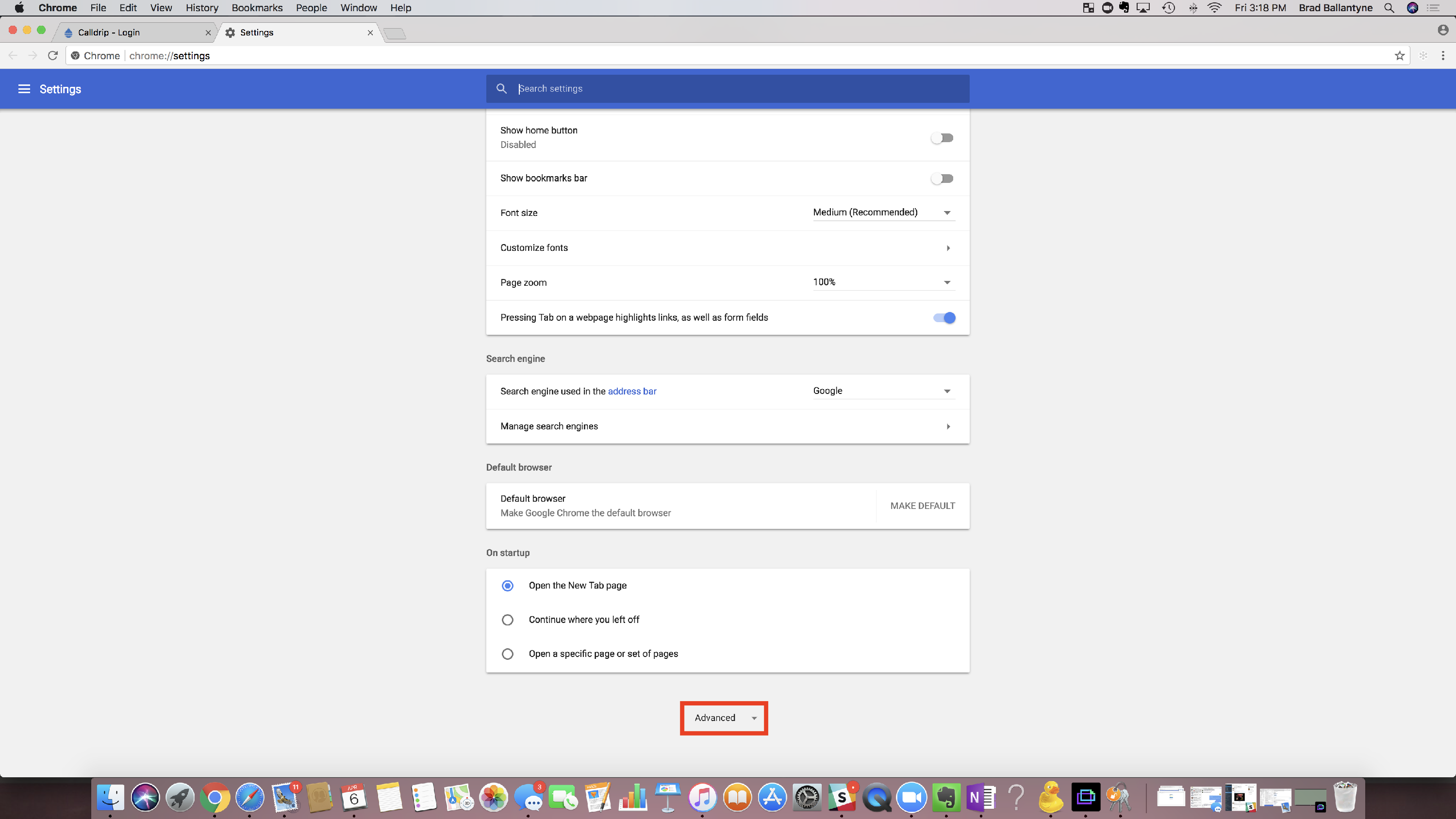
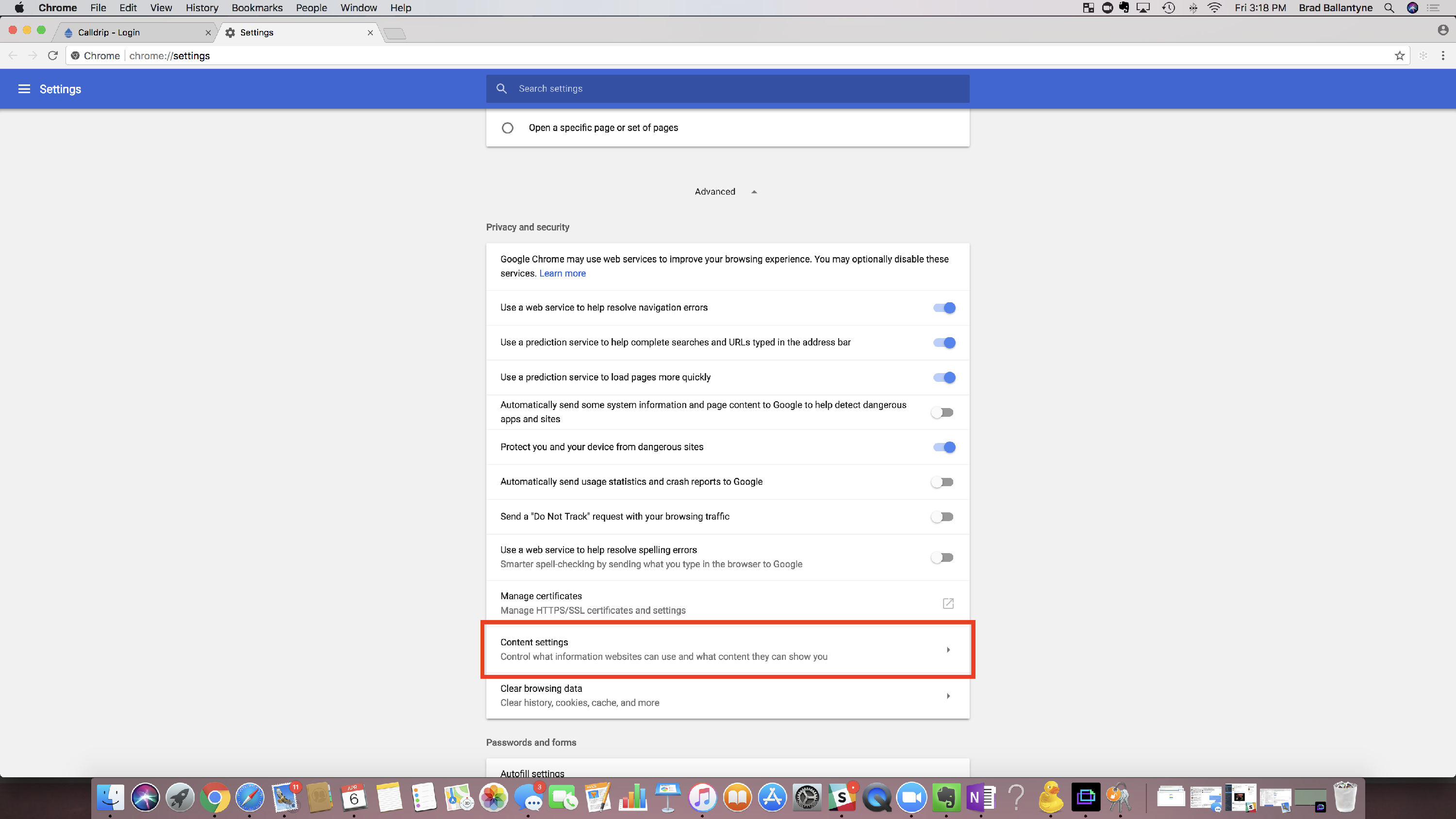
Click "Content Settings".
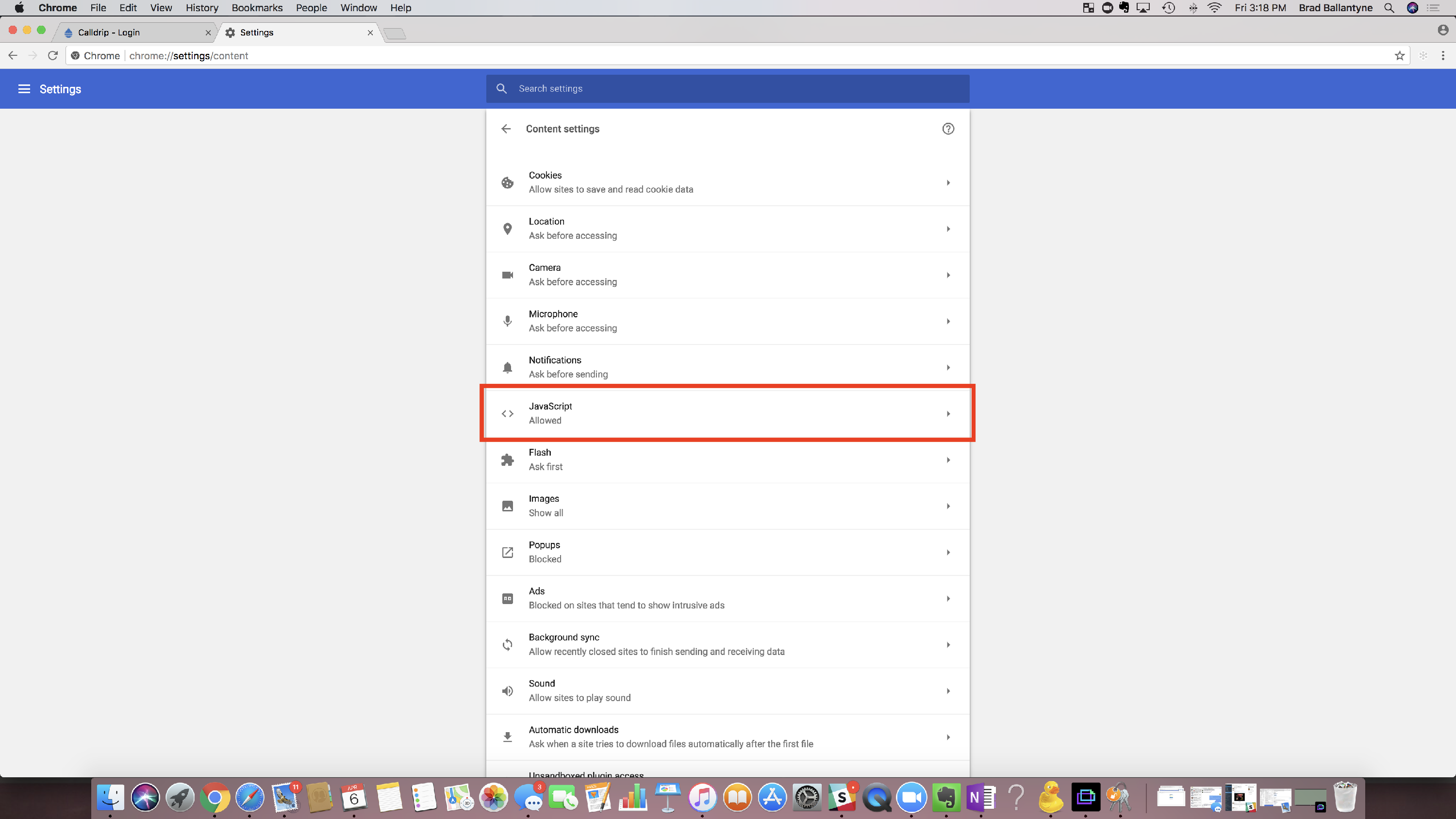
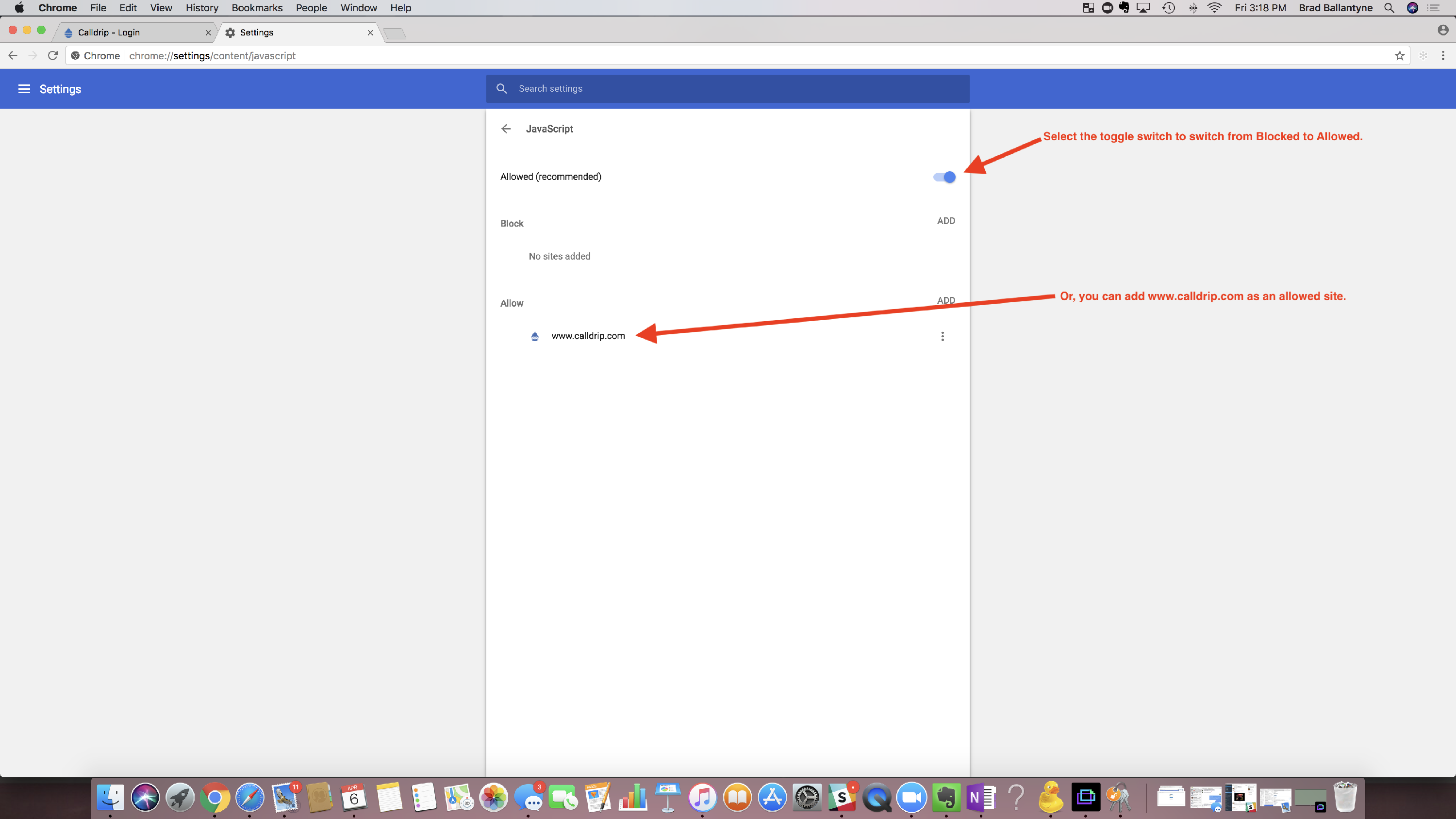
Click "JavaScript".
Click the toggle switch to Allow JavaScript. (This is the recommend setting from Google Chrome). *We do recommend allowing all as many sites use JavaScript.
OR
Add www.calldrip.com as an Allowed site.
You should be all set!
No results found